SyncGene alternative with real-time calendar sync
OneCal presents a superior SyncGene alternative with its advanced calendar synchronization software, intuitive user interface, seamless team invitation process, and more affordable and intuitive pricing options.
Get 20% discount + assistance with onboarding and migration if needed.
SyncGene Alternative
What does OneCal offer as a SyncGene alternative?
| Features | OneCal | SyncGene |
|---|---|---|
| Calendar Sync | ||
| Supported Calendars | Google Calendar, Outlook, iCloud Calendar, CalDAV | Google Calendar, Outlook, iCloud Calendar |
| Reliable, real-time calendar synchronization | Yes | Yes |
| One-way Syncs | Yes | Yes |
| Multi-way Syncs | Yes | No |
| Unlimited Synced events | Yes | Yes |
| Control over what event properties are synced | Yes | Partial |
| Exclusion of events from syncing | Yes | Partial |
| AI | ||
| AI Assistant | YesIncluded in every plan | No |
| Scheduling Links | ||
| Scheduling links | Yes | No |
| Unlimited Scheduling Links | Yes | No |
| Read availability from unlimited calendars | Yes | No |
| Scheduling links custom branding | YesLogo, Cover Image, Colors, and more | No |
| Localized Scheduling Links | Yes | No |
| Group Scheduling Links | Yes | No |
| Scheduling Workflows | Yes | No |
| Unified Calendar | ||
| Unified Calendar View (read and write) | Yes | No |
| See Team Member’s Availability in Calendar View | Yes | No |
| Public Calendar Feeds | Yes | No |
| Team & Admin | ||
| Admin managed accounts | Yes | PartialUnknown |
| OIDC/SAML SSO | YesAvailable on all plans | No |
| Integrations | ||
| Zoom | Yes | No |
| Google Meet | Yes | No |
| Microsoft Teams | Yes | No |
| Zapier Integration | Yes | No |
| MCP Server | Yes | No |
| Public API Access (Available on request) | Yes | No |
| Apps | ||
| Web App | Yes | Yes |
| iOS App | Yes | No |
| Android App | Yes | No |
| MacOS App | Yes | No |
| Personalization | ||
| Light and dark mode on web | Yes | No |
While we do our best to keep this information accurate and up to date, features and pricing on third-party products can change without notice. We recommend visitors do their own research before making a decision.
Advanced Sync Settings
OneCal is fully configurable, it's up to you to choose what do you want to synchronize.
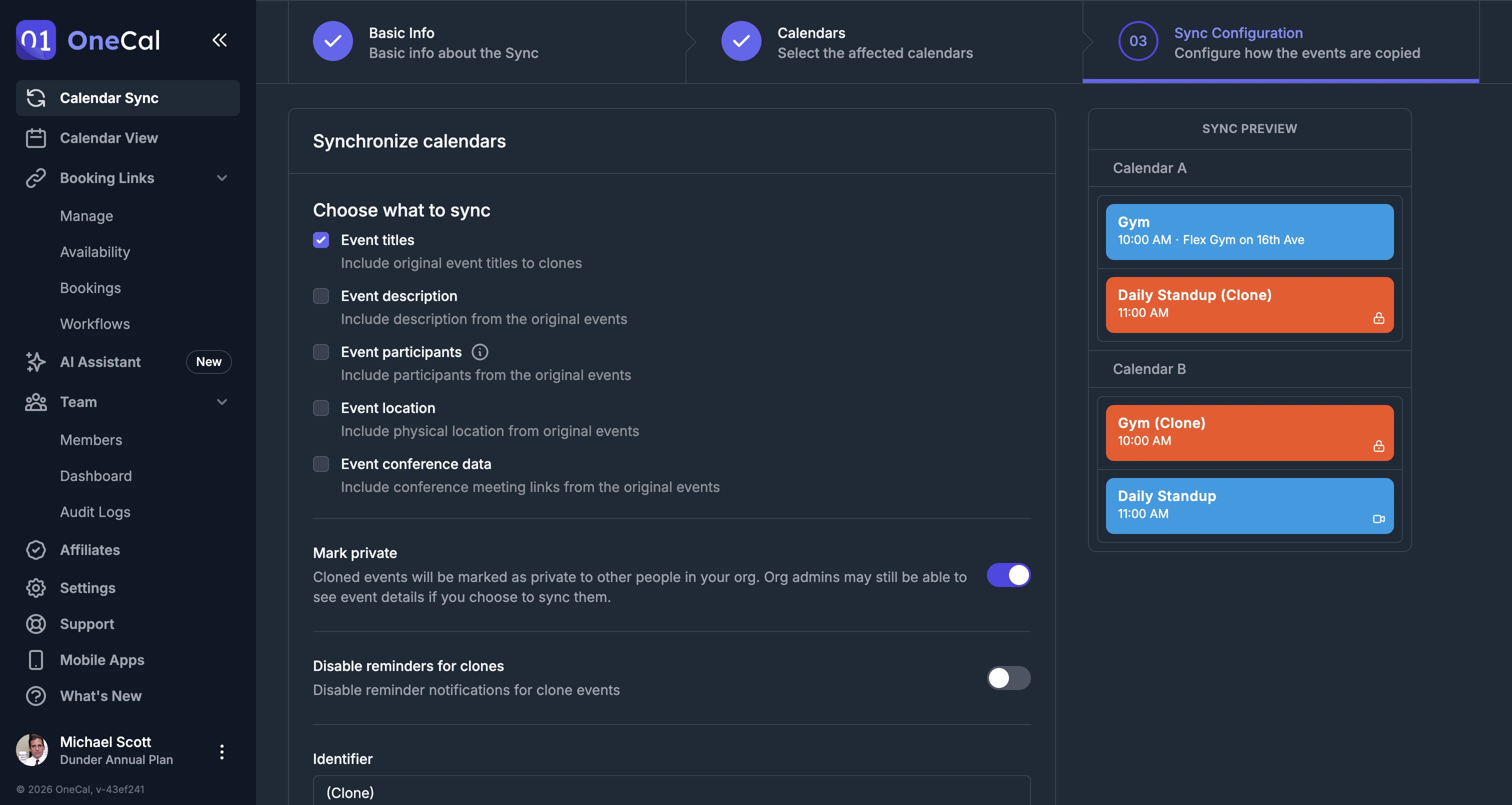
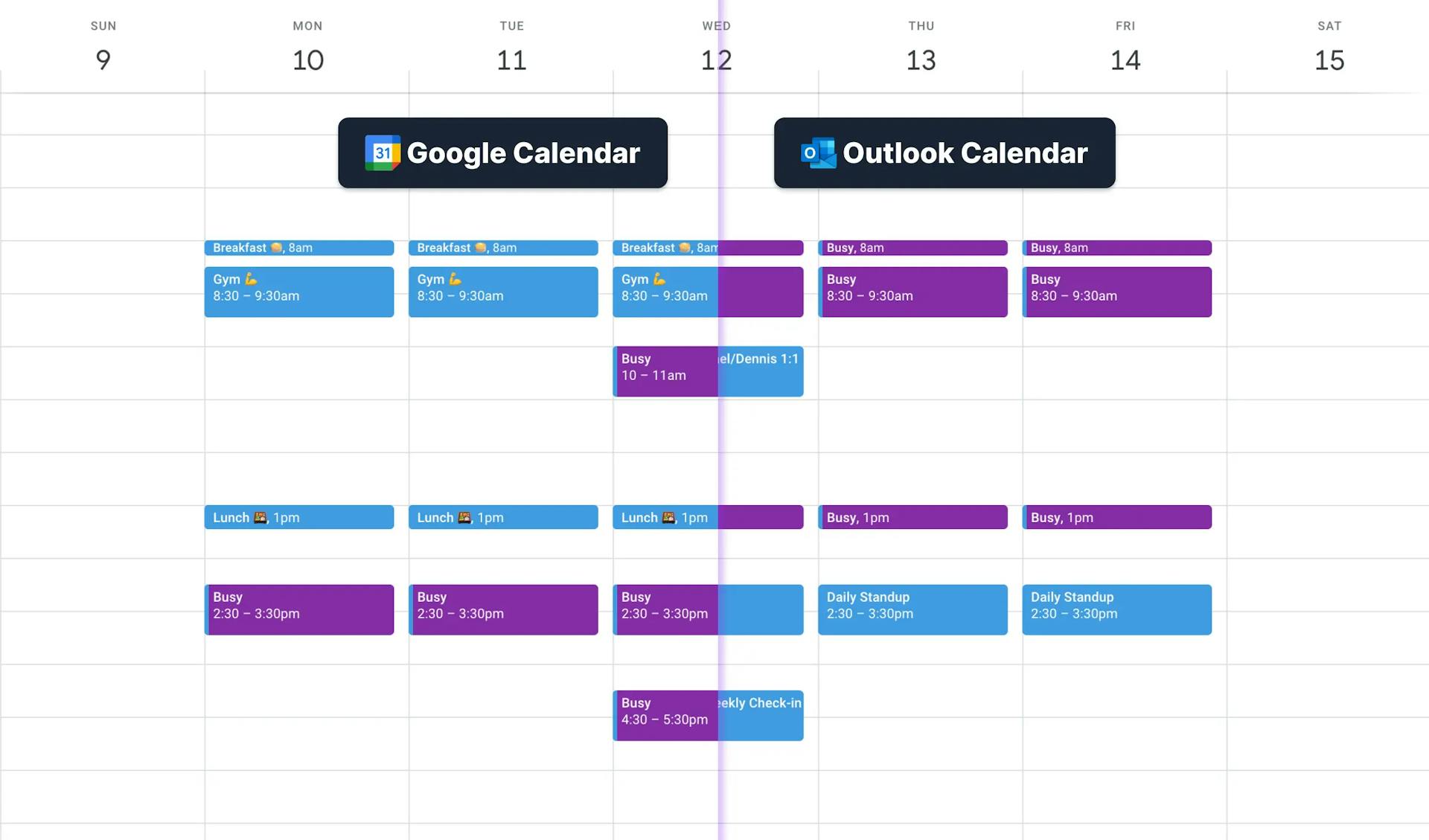
Microsoft Outlook, iCloud, Google Calendar and CalDAV Synchronization
With OneCal, synchronizing multiple Google and Outlook calendars is as easy as it gets. You'll be able to reflect your availability, across all your calendars, in real-time.
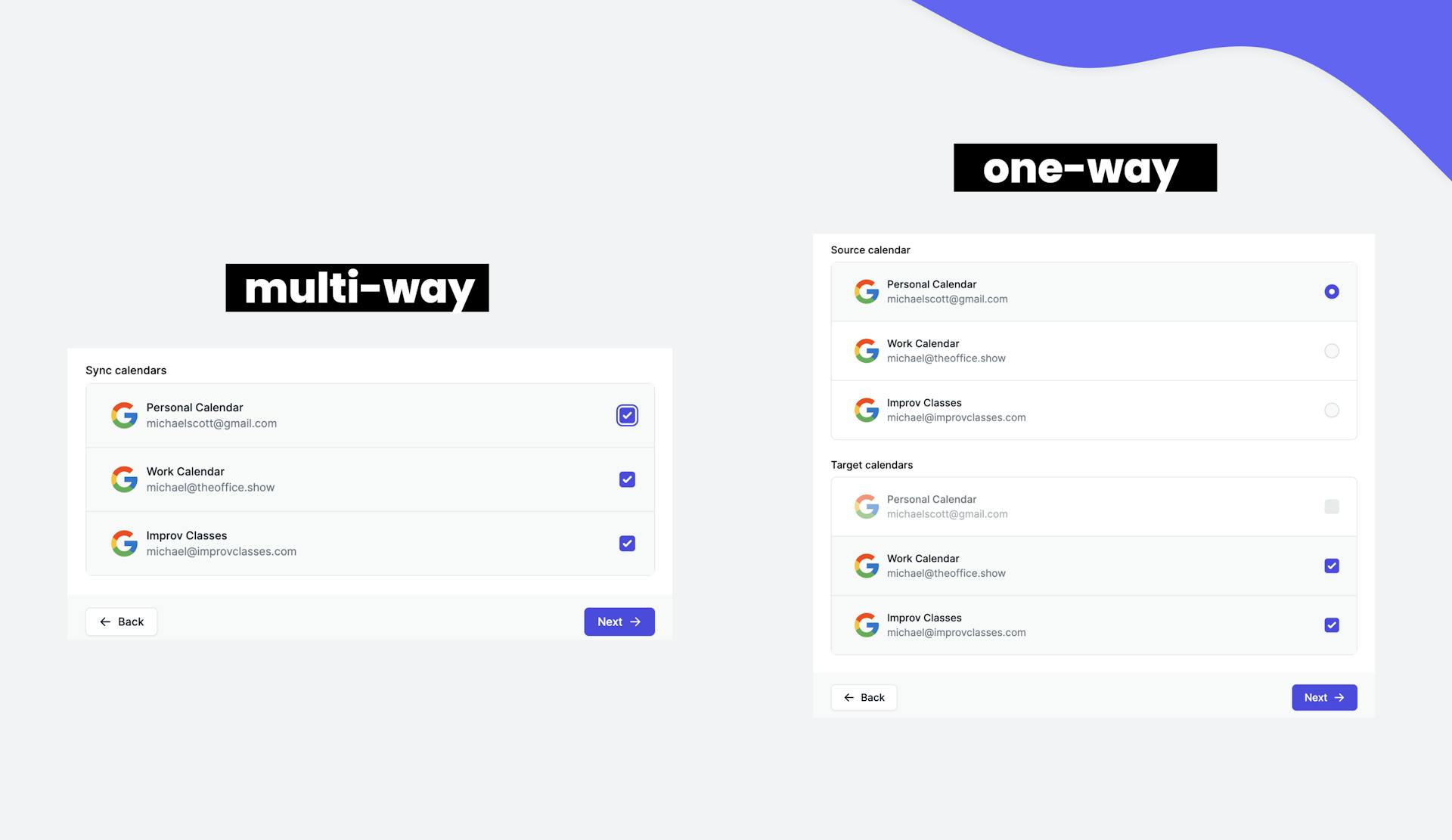
Multiple-Way or Single-Direction Synchronization
With OneCal, you can sync a single calendar to one or multiple calendars all at once, giving you limitless possibilities.
With SyncGene, you can't synchronize multiple calendars under one configuration.
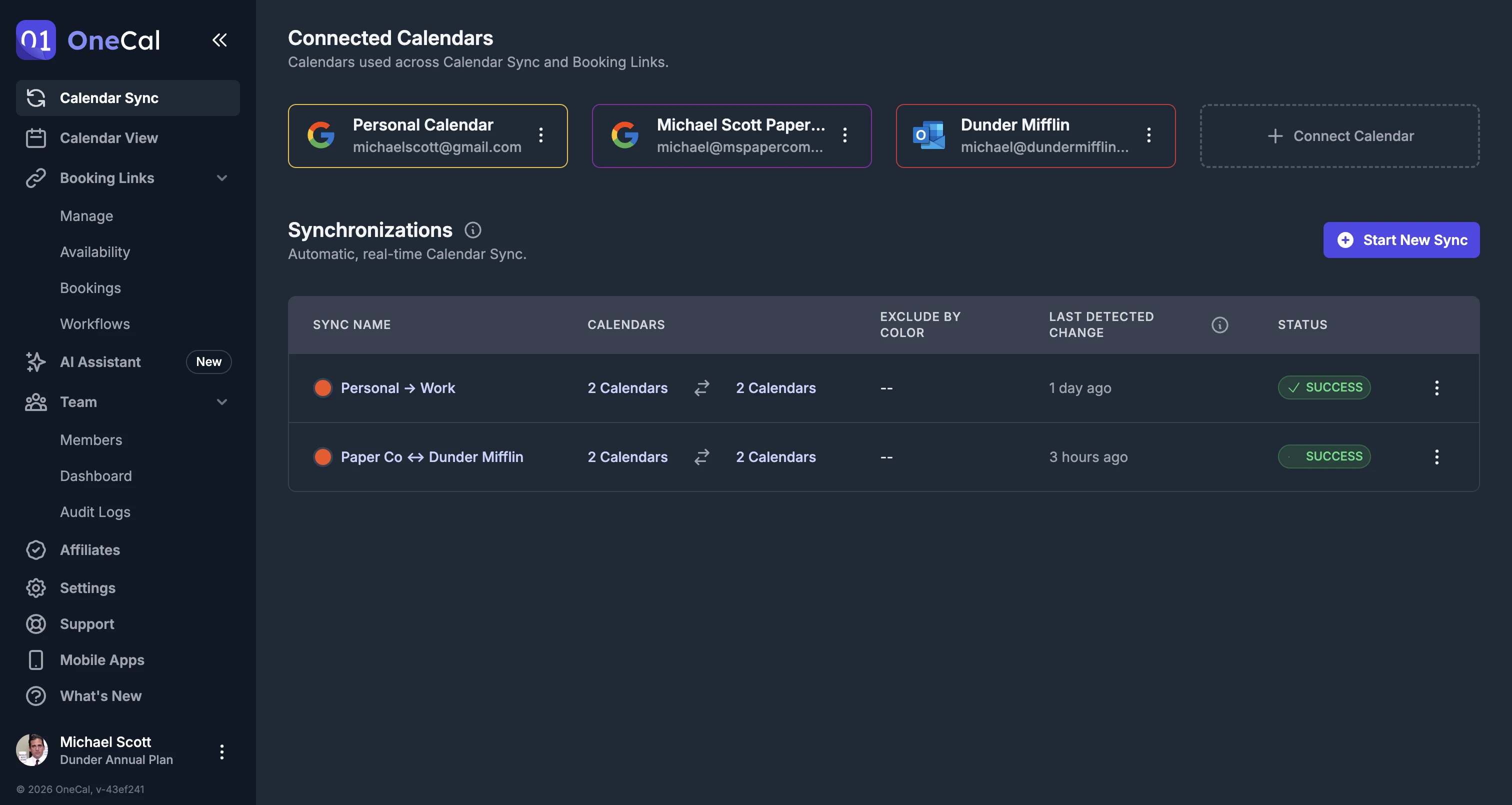
Fast, reliable syncs
We have optimized the sync process to ensure that all events are accurately synced without any errors or discrepancies. With OneCal, you can have peace of mind knowing that your calendar is always up-to-date and accurate.
Refined and User-Friendly Interface
OneCal prioritizes delivering a user-friendly and straightforward interface that requires no guides or instructions for calendar synchronization.
Intuitive Scheduling Links
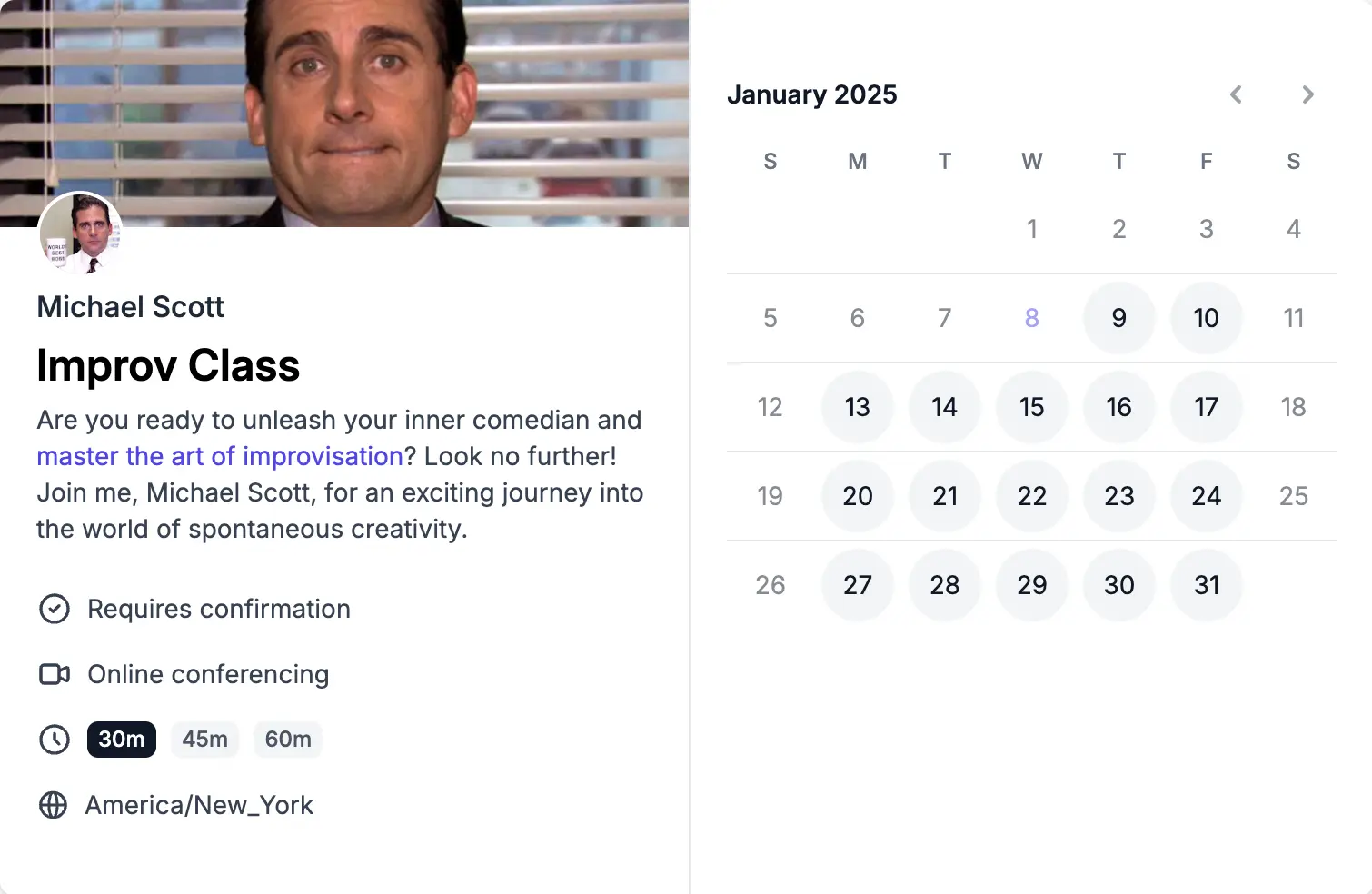
With OneCal, organizing your appointments, meetings, and events becomes a breeze using our intuitive scheduling links. Say goodbye to tedious back-and-forth communication and confusion.
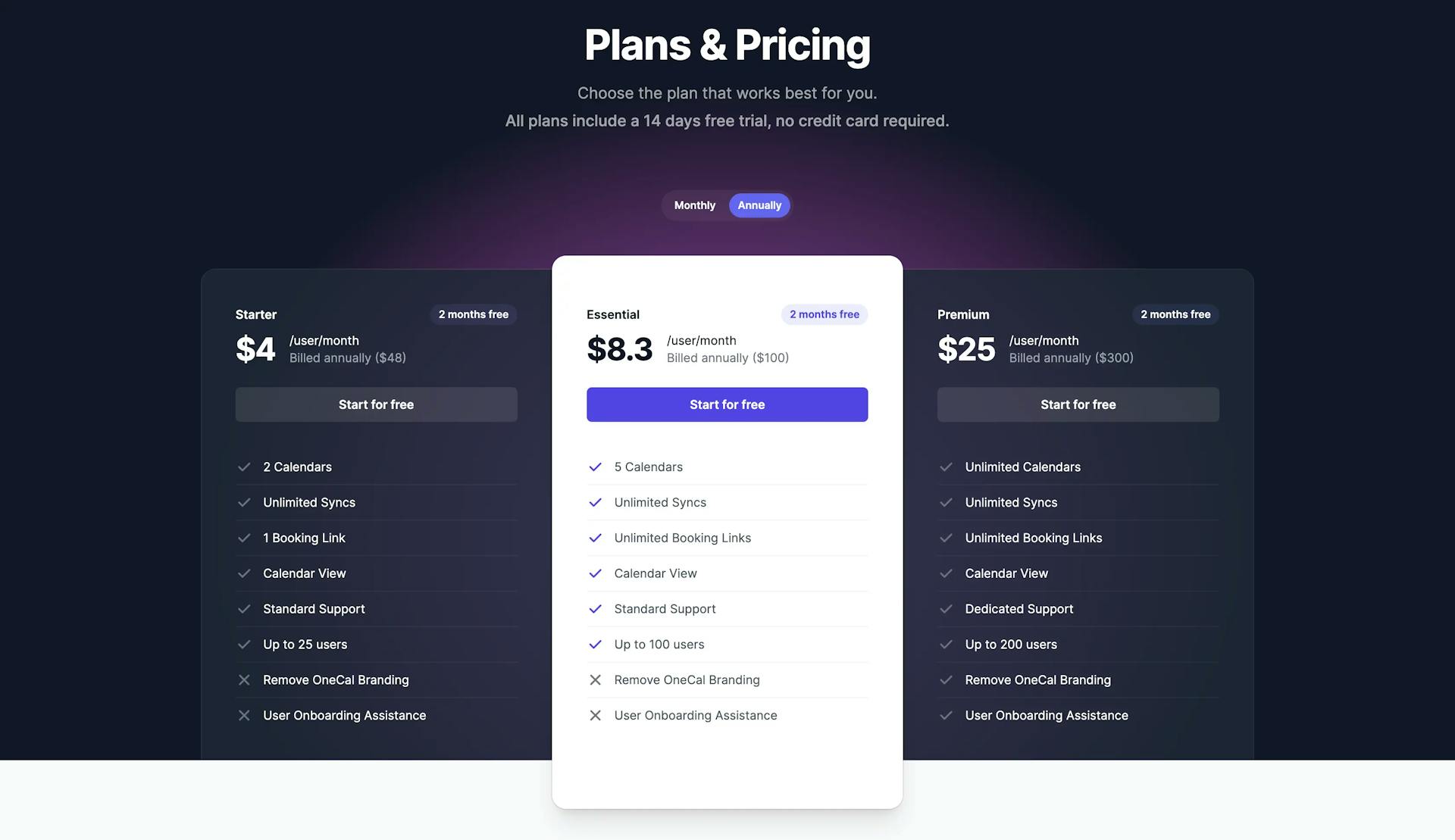
Simple and Affordable Pricing Structure
OneCal presents a cost-effective and straightforward pricing plan, tailored to your needs based on the number of calendars you want to synchronize and the number of team members you want to cover, leaving plenty of room for customization.
Exclude Events from Calendar Synchronization
OneCal provides a feature that enables you to exclude specific events from being synced by assigning a color or response status. If you don't want a private event to show up on your work calendar, you can exclude it by marking it with a designated color or response status (Going, Maybe, Unanswered, No).
With SyncGene, you can't exclude certain events from being synced by color.
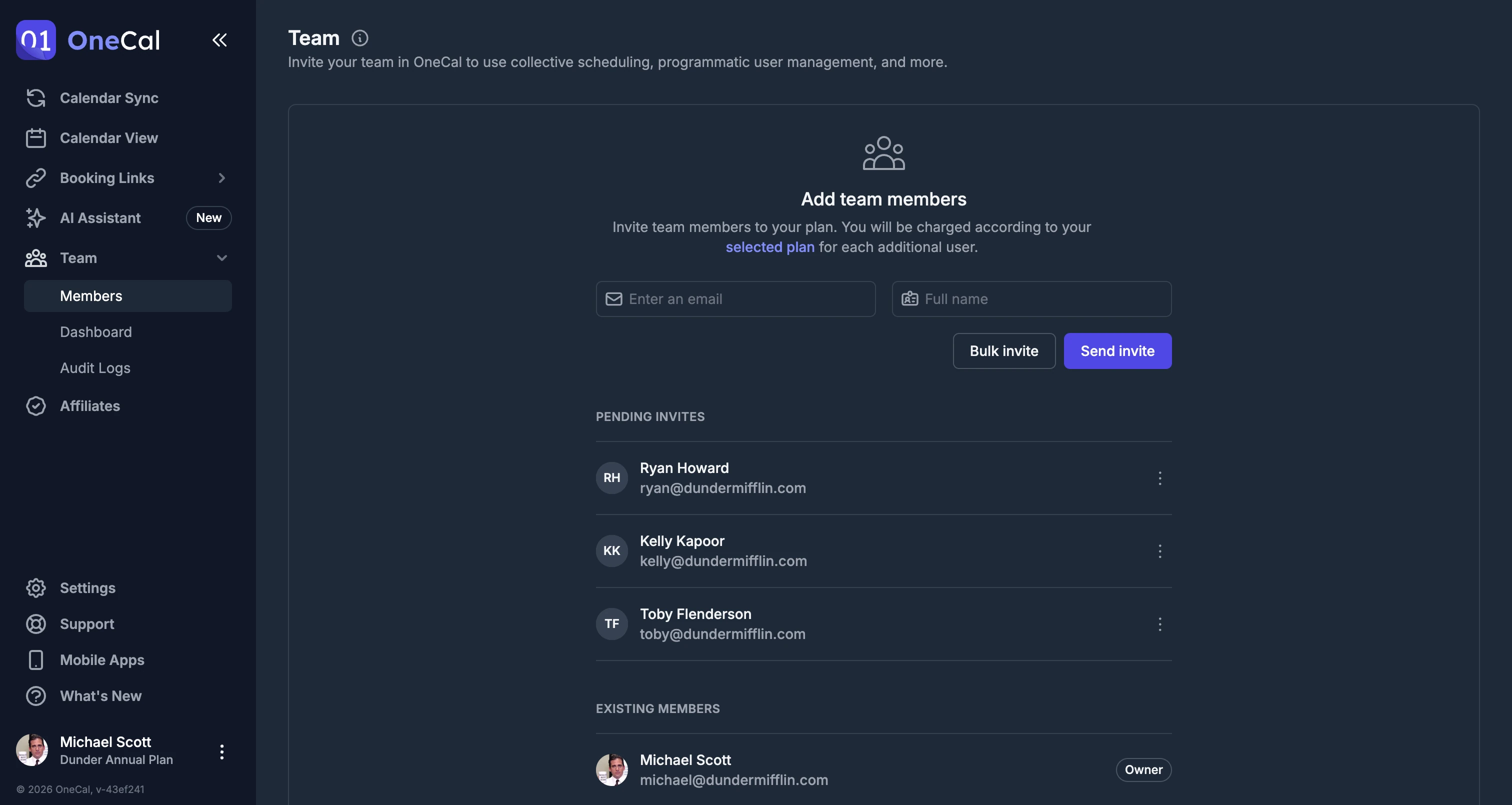
Team Plans
With OneCal, inviting and paying for your team is effortless, eliminating the need for sales calls or complicated dashboards setup.
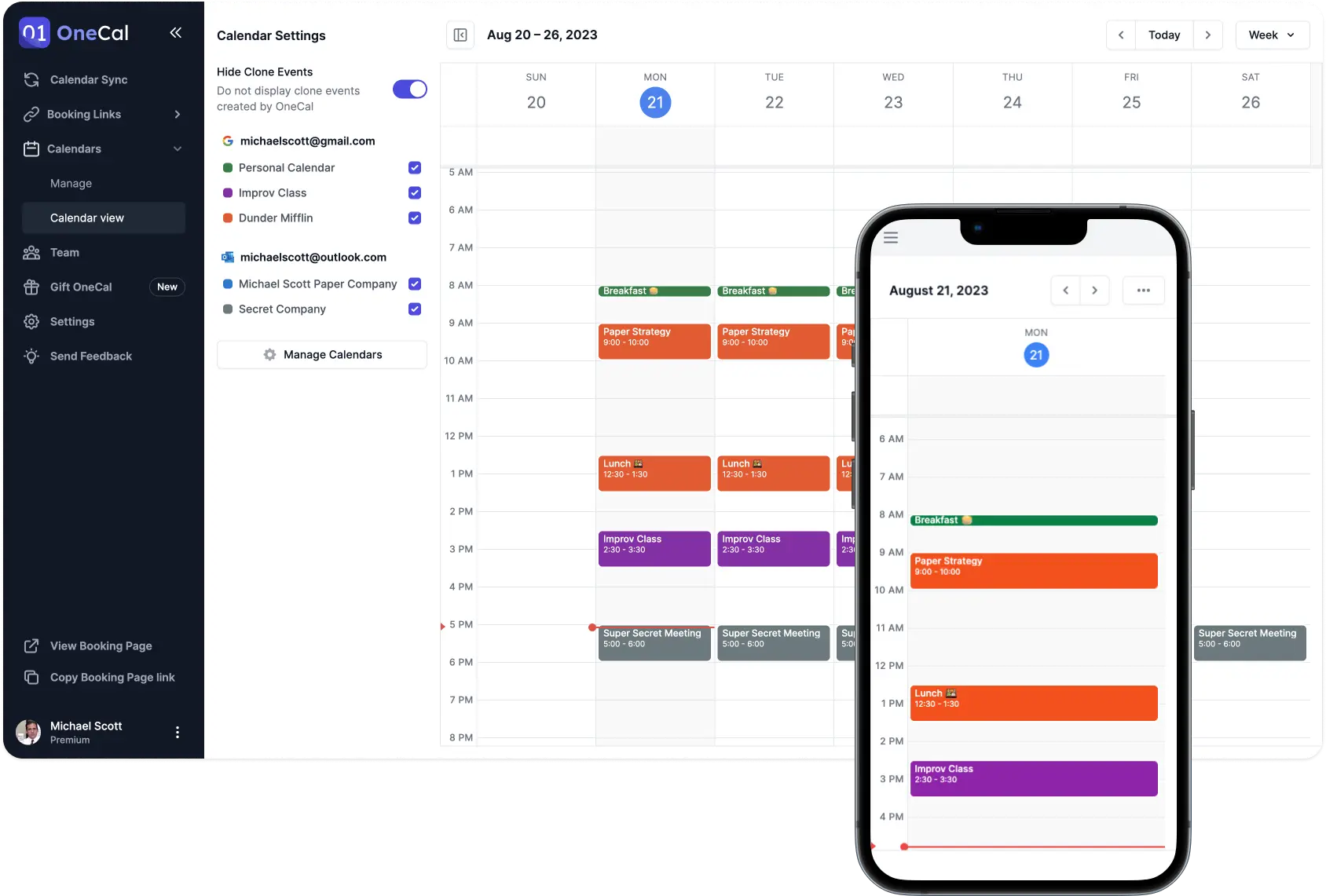
View all your Calendars in one place
With OneCal, you don't have to juggle multiple calendars, as you can view all your calendars in one place. Furthermore, you can choose to hide clone events, so you don't view duplicate events.
With SyncGene, you can't view all your calendars in one place.
Switch to OneCal in minutes
Provide yourself and your team with the simplest and most configurable Calendar Synchronisation tool in the market.
Get 20% discount + assistance with onboarding and migration if needed.