Your Calendar Can Talk Now: Meet the OneCal AI Assistant
Table of Contents
Ready to Sync Your Calendars?
Create a OneCal account to sync multiple Outlook, iCloud and Google Calendars, create Booking Links, and much more.
We started OneCal with a simple idea: managing several calendars should feel like managing one. Today we are taking the next step. Instead of clicking through menus, you can now simply say what you need.
Meet the OneCal AI Assistant.
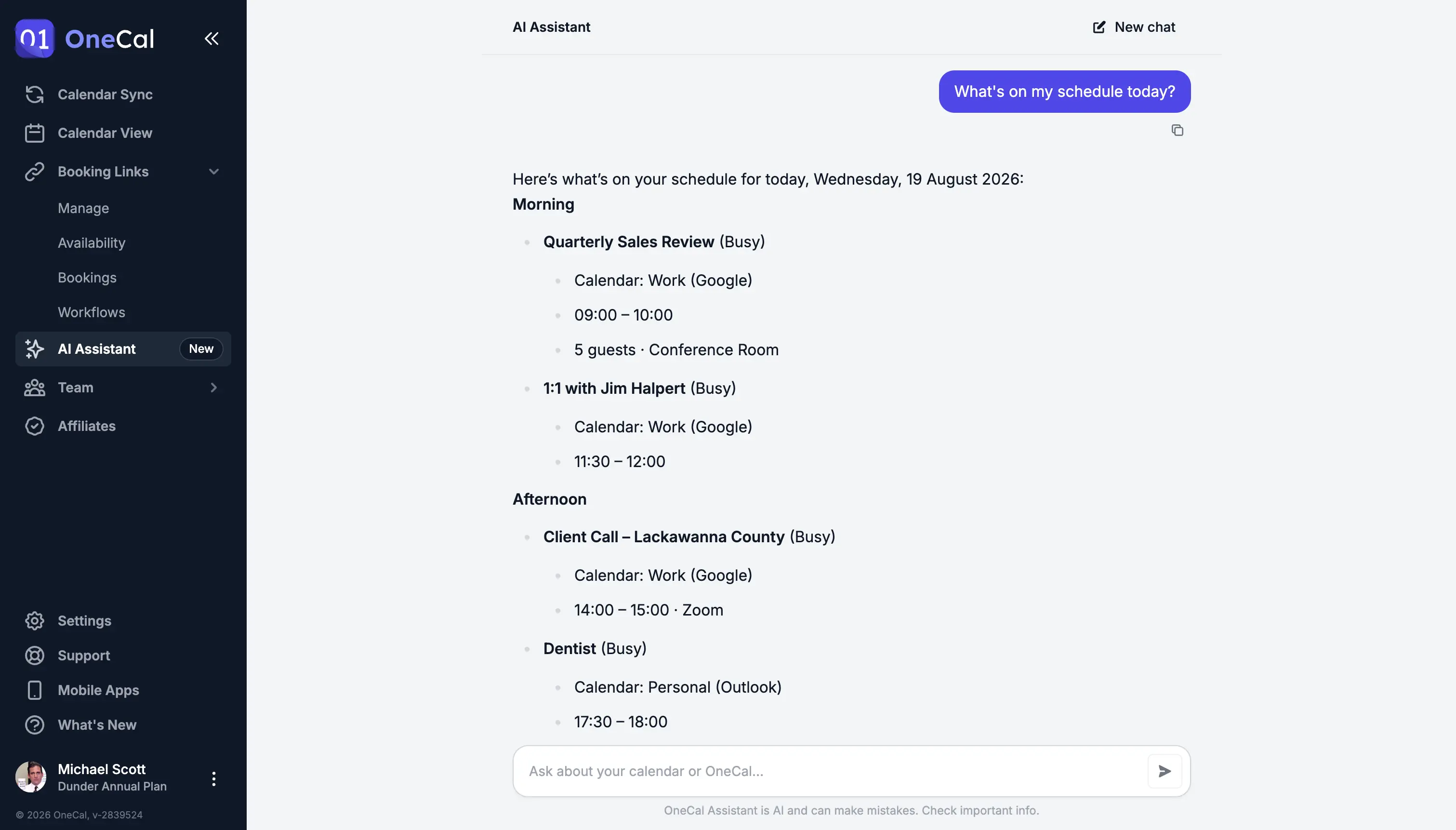
Tell it what you need, in your own words
Think of the assistant as a scheduling sidekick that already knows your Google, Outlook, and iCloud accounts. There is nothing to configure. Open the chat and talk to it like you would talk to a colleague:
- "When am I free tomorrow afternoon?"
- "Move my 2pm call to Friday morning."
- "Set up a focus block every morning this week."
- "Is my work-to-personal sync still running?"
- "Cancel tomorrow's booking with Sarah and ask her to pick a new time."
- "Why do I see the same event twice?"
The OneCal AI Assistant answers questions about your week, creates and reschedules events, replies to invitations, keeps an eye on your calendar syncs, and takes care of your booking links and bookings.
The Assistant is also your first line of support. The assistant has read our documentation, so it can explain how any feature works, walk you through setting something up, and help you figure out why something looks off. You get an answer in seconds, day or night, and our support team is still there for anything the assistant cannot solve.
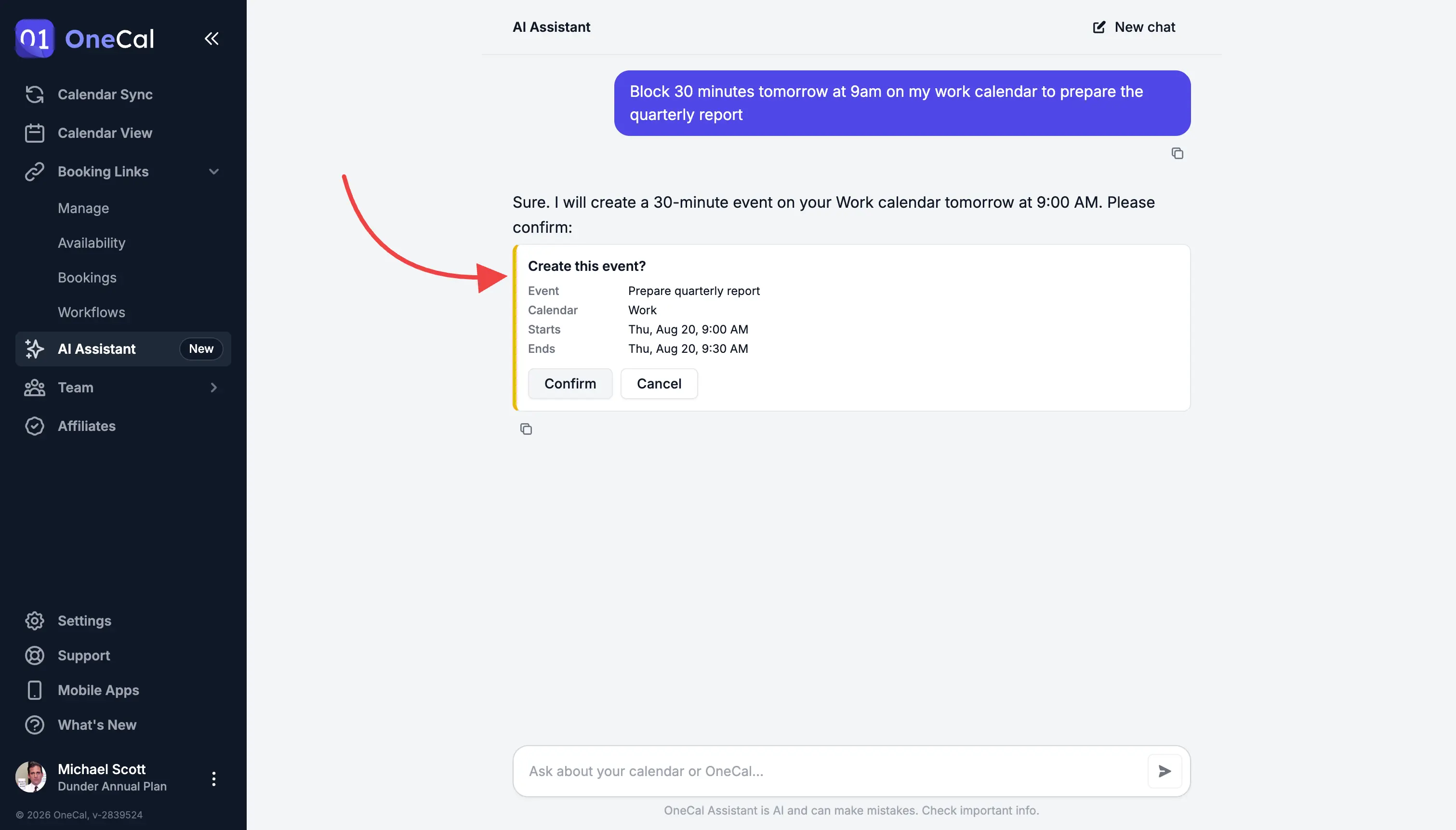
You always have the final word
An assistant should help you, not act behind your back. So before anything is created, moved, or removed, the assistant lays out the change and waits for you. One click to approve, one click to reject. Until you approve, your calendar stays exactly as it was.
Privacy came first, not last
We know how personal a calendar is, so we set strict rules before writing a single line of code:
- The first screen you see spells out what leaves OneCal and who handles it. You decide if you are in.
- Nobody trains AI models on your data. Not us, and not the AI provider we work with.
- Chats are not kept on our servers, and the AI provider retains nothing either.
In your pocket too
The assistant ships on iOS and Android at the same time as the web, and nothing is missing. Whatever you can ask at your desk, you can ask from the train, the hallway, or the couch.
One more thing: find any event in seconds
A lot of you asked for this one. Event search has arrived in the Unified Calendar View, on web and mobile. Type a few letters and OneCal digs through a full year back and a full year ahead, across every calendar you have connected. It matches titles, descriptions, locations, and even the people in the meeting.
On the web, hit / or ⌘ K (Ctrl K on Windows) and start typing. On your phone, tap the magnifying glass above your calendar.
Give it a try
The assistant is waiting for you at app.onecal.io/assistant, and in the latest version of the mobile app. Your plan comes with a monthly amount of assistant usage, so you can start chatting right away.
This is version one, and we have big plans for it. Try it, push it, and tell us what you want your assistant to learn next.