Team administration
Full visibility and control
for team admins
Invite members, assign roles, manage everyone's calendars, syncs, and booking links, and track every action with audit logs, all from one dashboard.
You are in good company. OneCal is trusted by thousands of users from organizations like










Centralized control for your whole team
OneCal Admin Management brings team invites, roles, usage monitoring, and account management together in one place.
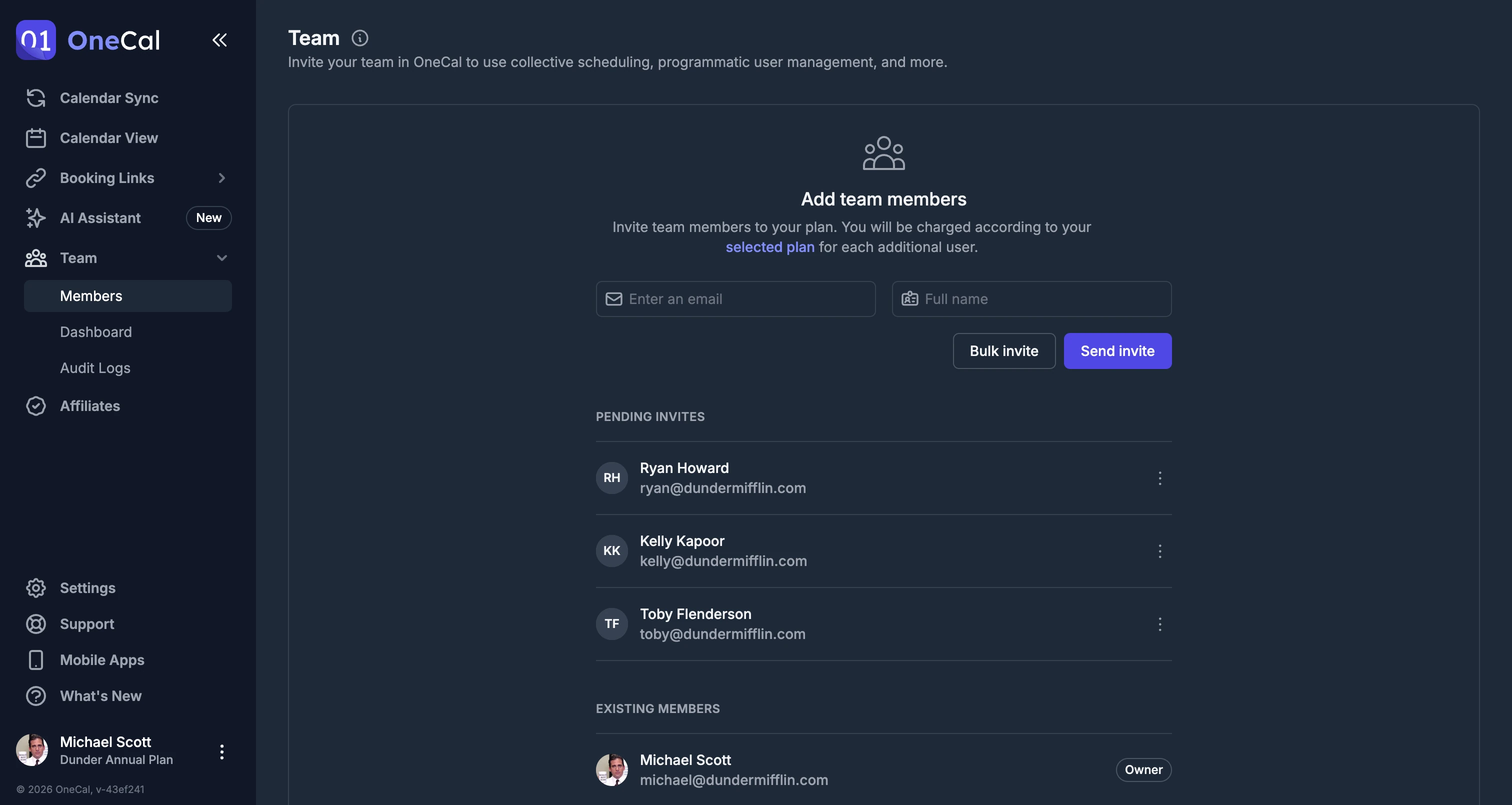
Invite your team and assign roles
Invite team members by email and assign a role to each person. Owners and Admins manage invites and members, Members create their own syncs and booking links, and Billing Only takes care of billing without scheduling access. Need to onboard a lot of people? Bulk invite your whole team at once with a CSV.
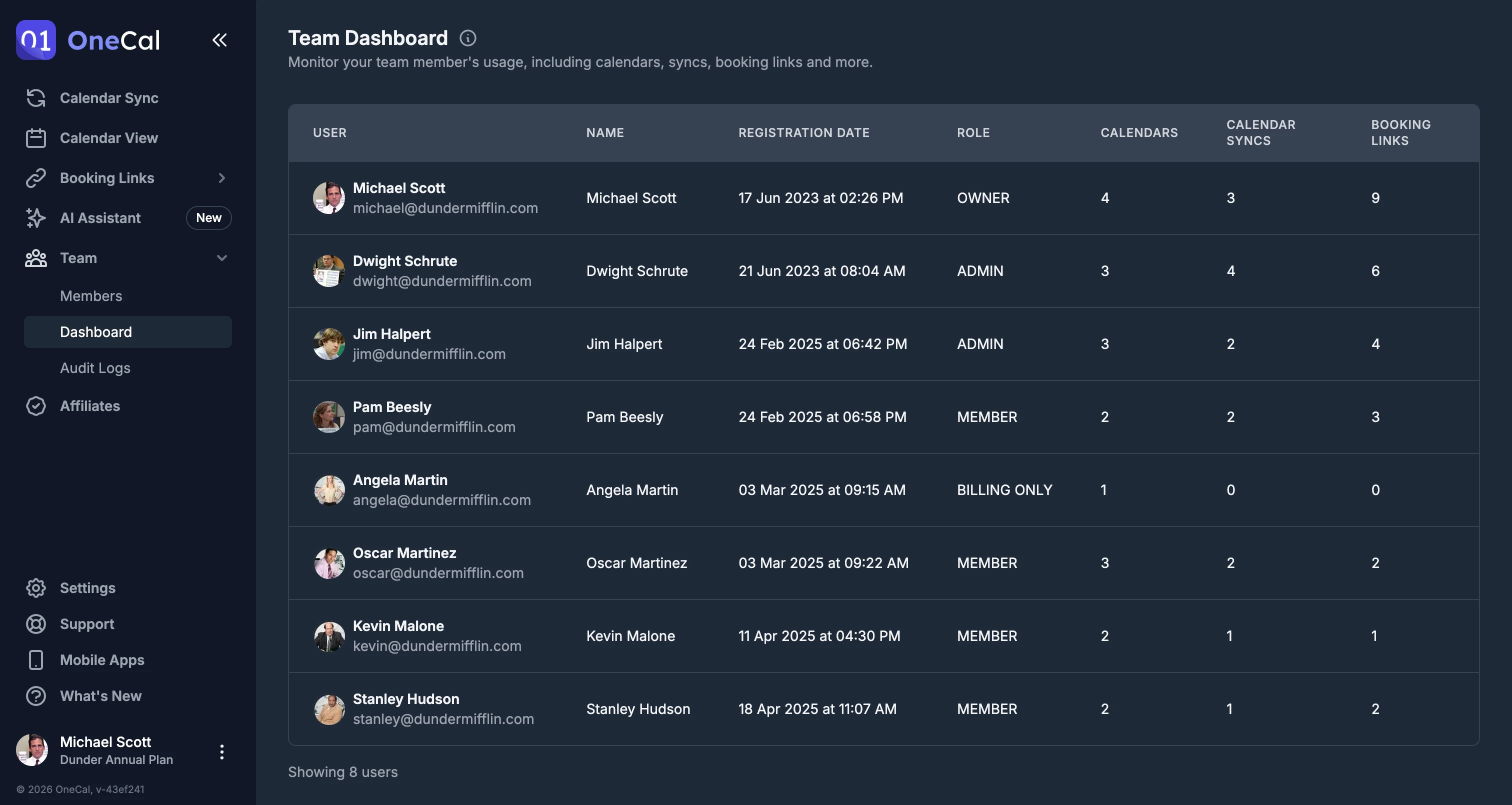
Monitor your team from one dashboard
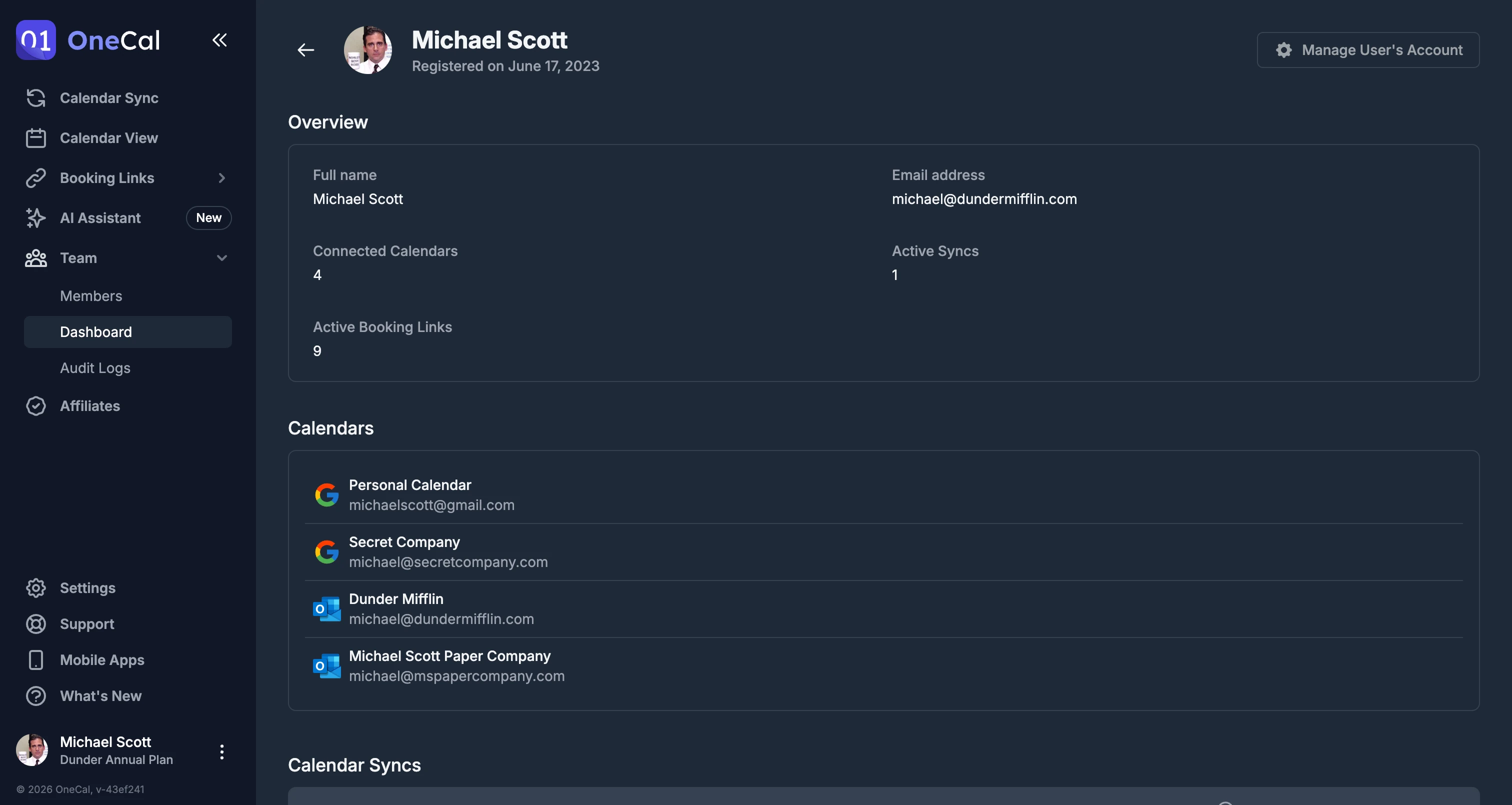
The Team Dashboard shows each member's connected calendars, active syncs, and booking links, so you always know how your team uses OneCal.
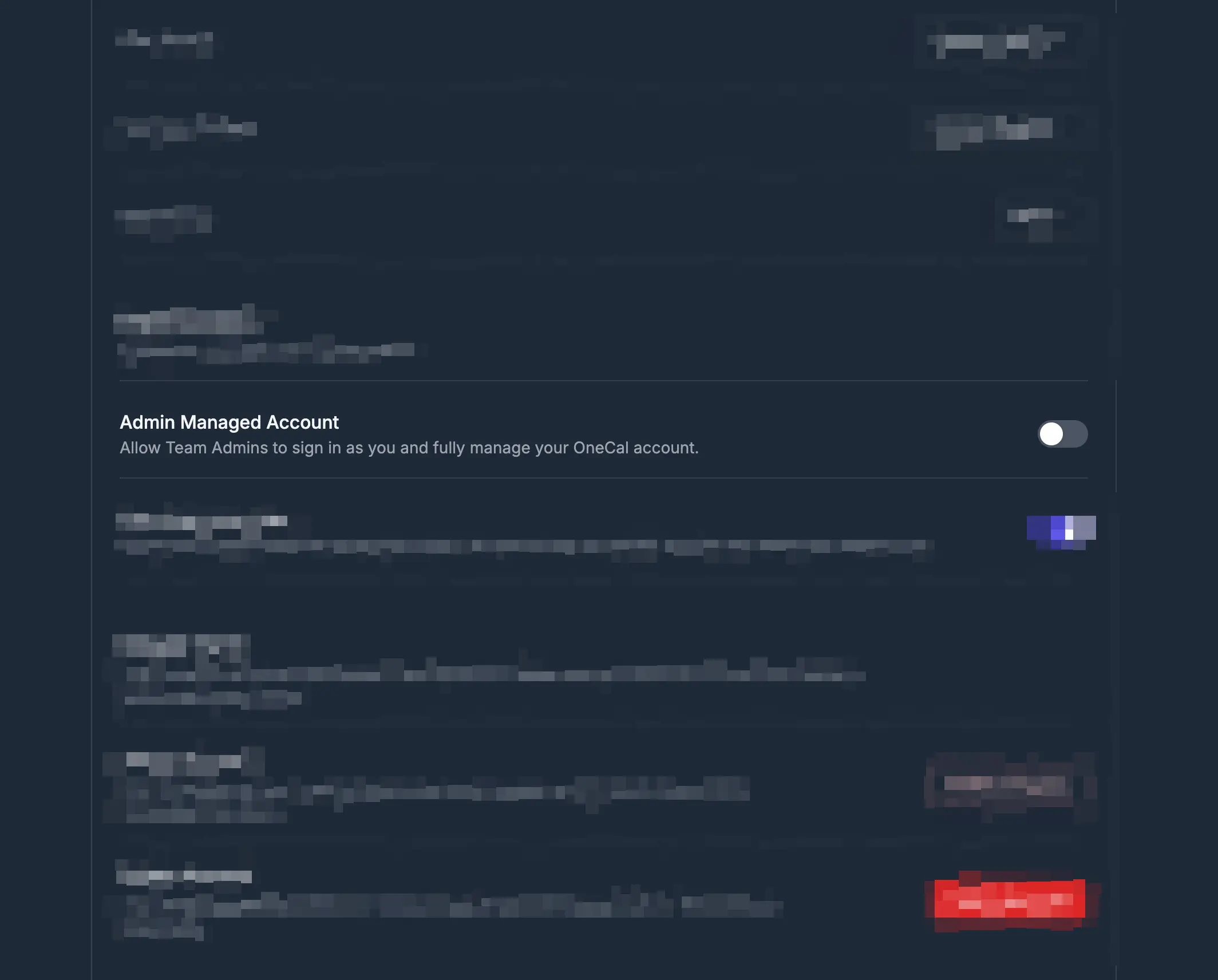
Manage members' accounts with their consent
When a member allows it, admins can manage their account directly, including calendars, syncs, and booking links, without ever sharing passwords.
Group scheduling for your team
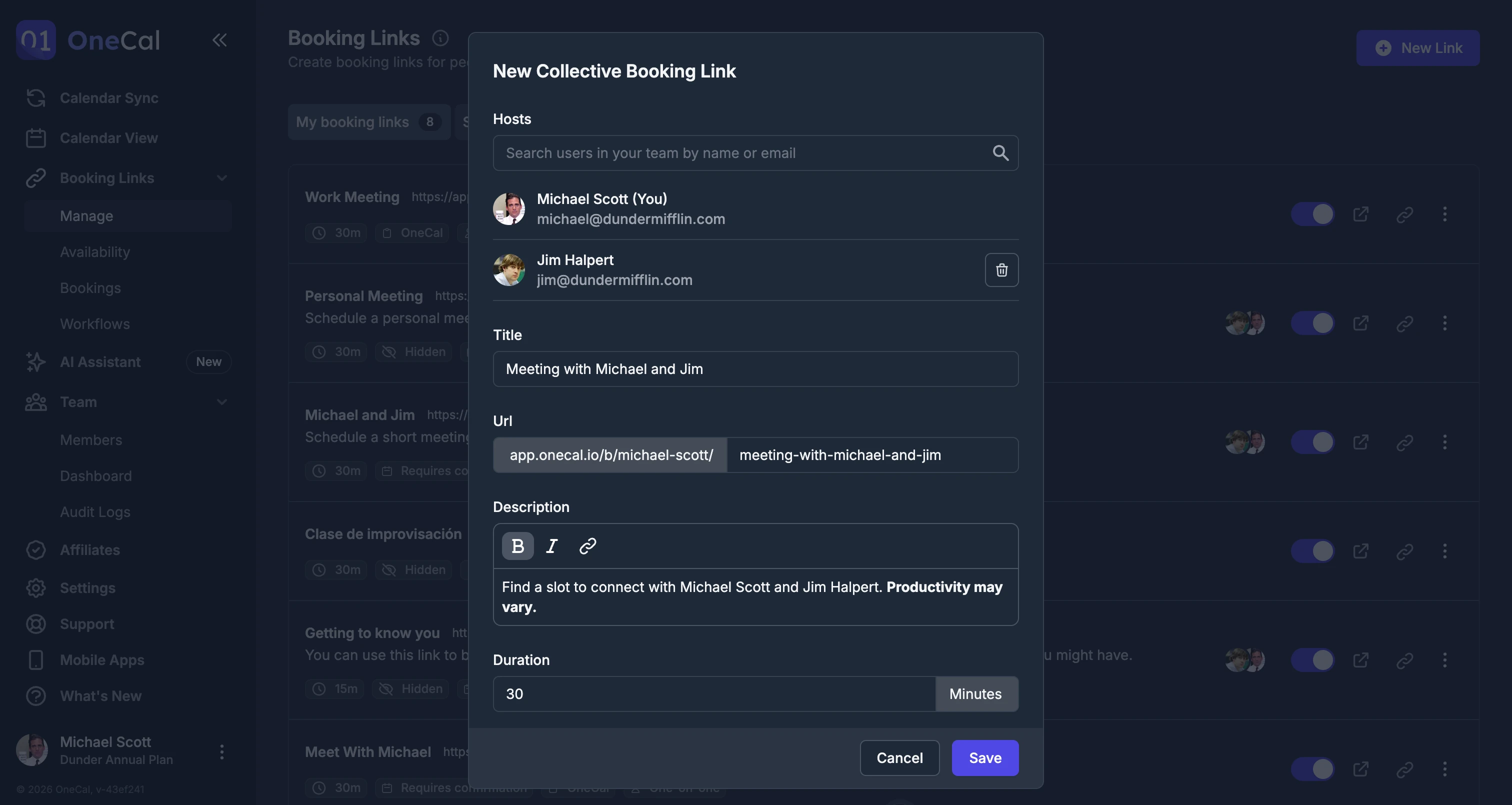
Create collective booking links that pool the availability of multiple team members, so guests only see times that work for everyone.
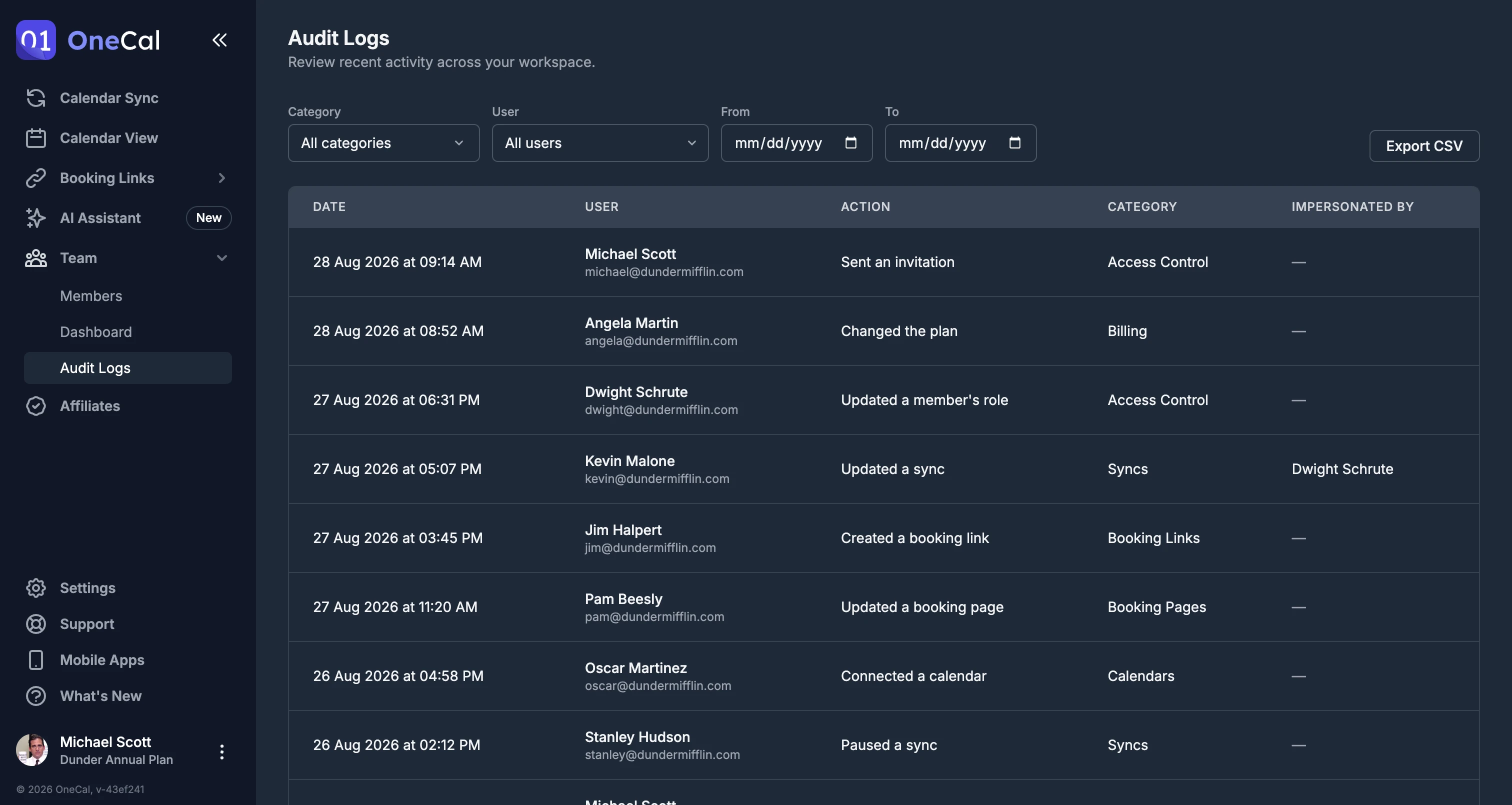
See every action with Audit Logs
Audit Logs give you a complete, timestamped record of who did what across your workspace. Filter by member, category, or date range, and export the results to CSV whenever you need them.
Roles built for every team member
Give each person exactly the access they need with four clear roles.
Owner
Full control over the workspace, including roles, invites, members, subscriptions, and the Team Dashboard.
Admin
Manages invites and members, views the Team Dashboard, and handles subscriptions. Cannot change roles.
Member
Creates and manages their own calendar syncs and booking links. No access to team settings.
Billing Only
Handles invites, members, and billing without creating syncs or booking links.
How does Admin Management work?
Invite your team to OneCal, assign each person a role, then monitor and manage their scheduling from the Team Dashboard.
Invite your team and assign roles
Add team members by email and give each one a role: Owner, Admin, Member, or Billing Only.
Monitor usage from the Team Dashboard
See every member's connected calendars, active syncs, and booking links at a glance, all from one place.
Manage accounts and scheduling at scale
With a member's permission, manage their calendars, syncs, and booking links, and set up collective scheduling for the team.
Built for Teams
Everything admins need to run a team
Role-based access
Assign Owner, Admin, Member, or Billing Only roles, each with the right level of access.
Pending invite management
Resend, cancel, or copy invite links for invitations that haven't been accepted yet.
Bulk invite
Invite your whole team at once by uploading a CSV.
Per-user usage monitoring
Track connected calendars, active syncs, and booking links for every member.
Admin-managed accounts
With member consent, manage their calendars, syncs, and booking links on their behalf.
User Provisioning API
Programmatically invite or remove users, and read team members and their usage.
SSO with SAML and OIDC
Let your team sign in through Okta, Azure AD, or Google Workspace.
Directory Sync (SCIM)
Automatically provision and deprovision users from Okta, Azure AD, and other identity providers.
Audit logs
A timestamped record of every action in your workspace, filterable by member, category, and date range, and exportable to CSV.
Per-user, pro-rata billing
Add members anytime, charged pro rata for the rest of the billing cycle.
Secure and compliant by design
Your team's data is protected with industry standard security practices. OneCal is GDPR compliant and SOC 2 Type II certified.
Manage Your Team with Ease
Invite your team, assign roles, and take control of your team's scheduling with OneCal Admin Management.