TidyCal alternative with group scheduling links
OneCal's individual and group scheduling links, branding, plenty of customization, and great customer support, make it the #1 TidyCal alternative.
Get 20% discount + assistance with onboarding and migration if needed.
TidyCal Alternative
What makes OneCal a great
TidyCal alternative?
| Feature | OneCal |
|---|---|
| Supported Calendars | Google Calendar, Outlook, iCloud Calendar, CalDAV |
| Integrations | Zoom, Google Meet, Microsoft Teams, Zapier |
| Reliable, real-time calendar synchronization | |
| One-way, two-way and multi-way syncs | |
| Unlimited Synced events | |
| Control over what event properties are synced | |
| Exclusion of events from syncing | |
| AI Assistant | |
| Scheduling links | |
| Scheduling links custom branding | |
| Group Scheduling Links | |
| Scheduling Workflows | |
| Unified Calendar View (read and write) | |
| See Team Member’s Availability in Calendar View | |
| Public Calendar Feeds | |
| MCP Server | |
| Public API Access (Available on request) | |
| Admin managed accounts | |
| Light and dark mode on web | |
| iOS app | |
| Android app |
Get booked as an individual or as a group
OneCal works great for individual or group bookings. You can use OneCal as an individual, by sharing individual Scheduling Links, where guests can book time with you. Alternatively, you can invite your team members to OneCal and share Scheduling Links that read the availability of multiple people and book them.

Extremely Customizable
OneCal offers a very customizable scheduling experience, starting from branding your booking page, to setting buffers, minimum notices, and more.

Available in different languages
You have the ability to select the language the Scheduling Link. This is very important if your audience is international and you're targeting a certain market. When you select a language on your booking page, the whole experience is presented in that language, including emails, and more.

Connect iCloud, Outlook, Google Calendar and CalDAV
OneCal works well with all major calendar providers, including iCloud, Outlook, Google Calendar and any CalDAV server.
Showcase your social media and websites on your booking page
Your connections doesn't need to end with the booking being scheduled. Using OneCal, you can add your social media profiles and websites to your booking page, so your guests can connect with you and lean more about you or your business.

Outstanding Customer Support
OneCal wouldn't be the same without the amazing customer support team. We make sure to answer all the questions you have and resolve any issues as soon as possible.

Ad-free, Easy to use and get booked
OneCal has a very simple and modern user interface that's easy to use by you and the schedulers. The setup takes a couple of minutes and your schedulers can book meetings with you in a minute.
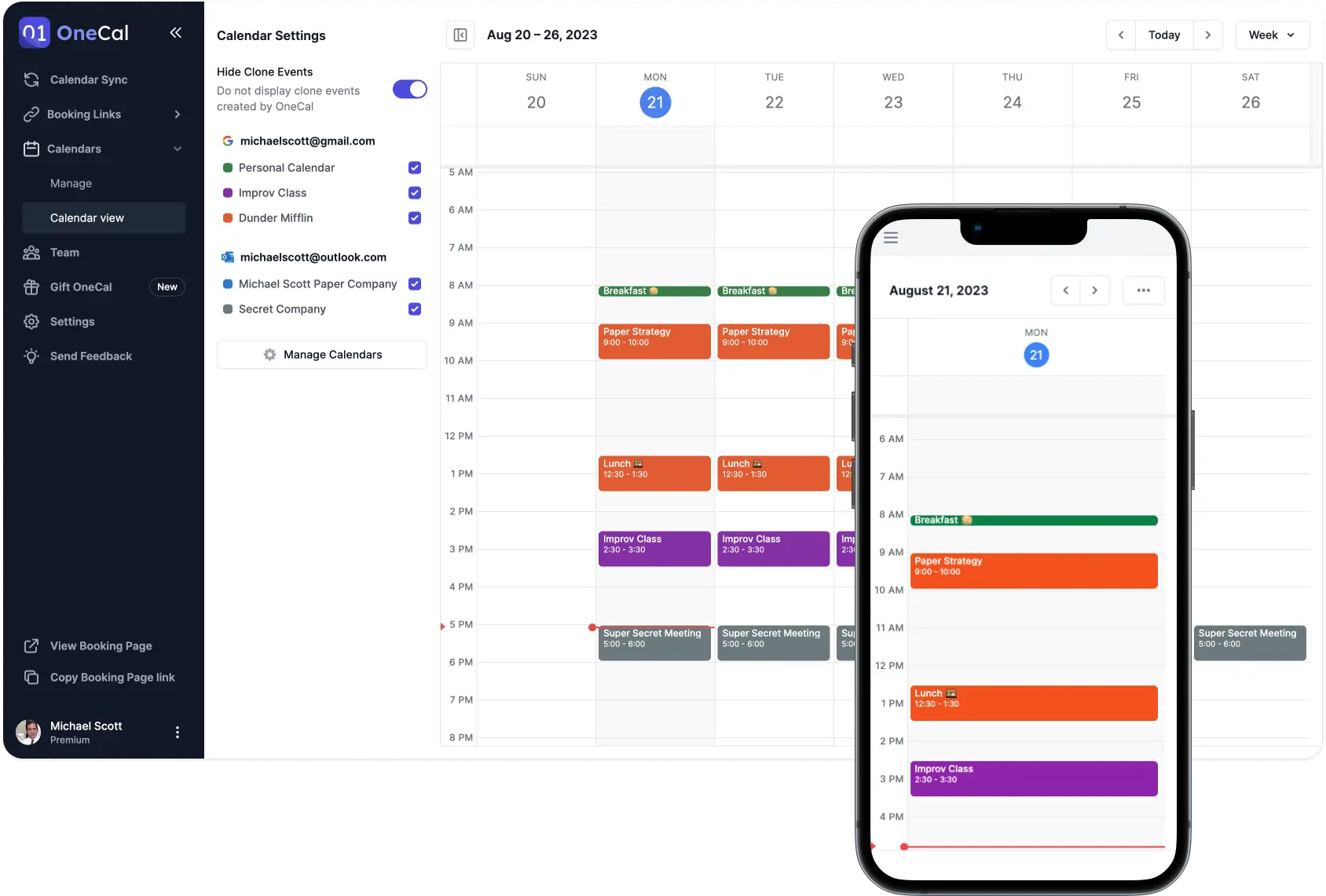
All you calendars in one view
Aside from the ability to share scheduling links and get booked, OneCal also has a Calendar View, allowing you to view all your events, across all the calendars you've connected to OneCal, in a single view.
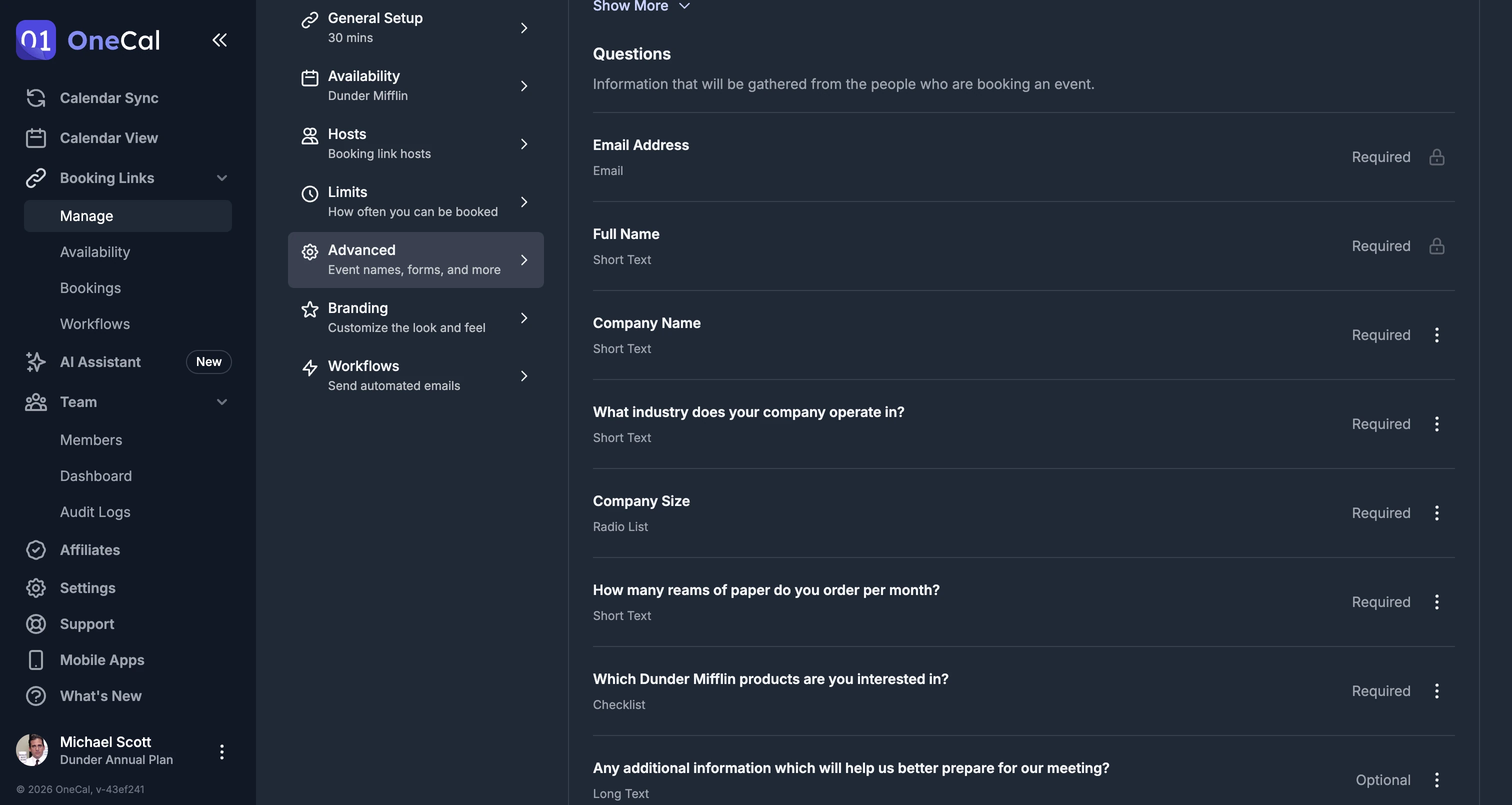
Ask custom questions in the booking form
With OneCal, you can ask as many questions you like for each scheduling link, including multiple-answers, date, phone-number, and many other types of questions.
Calendar Synchronization
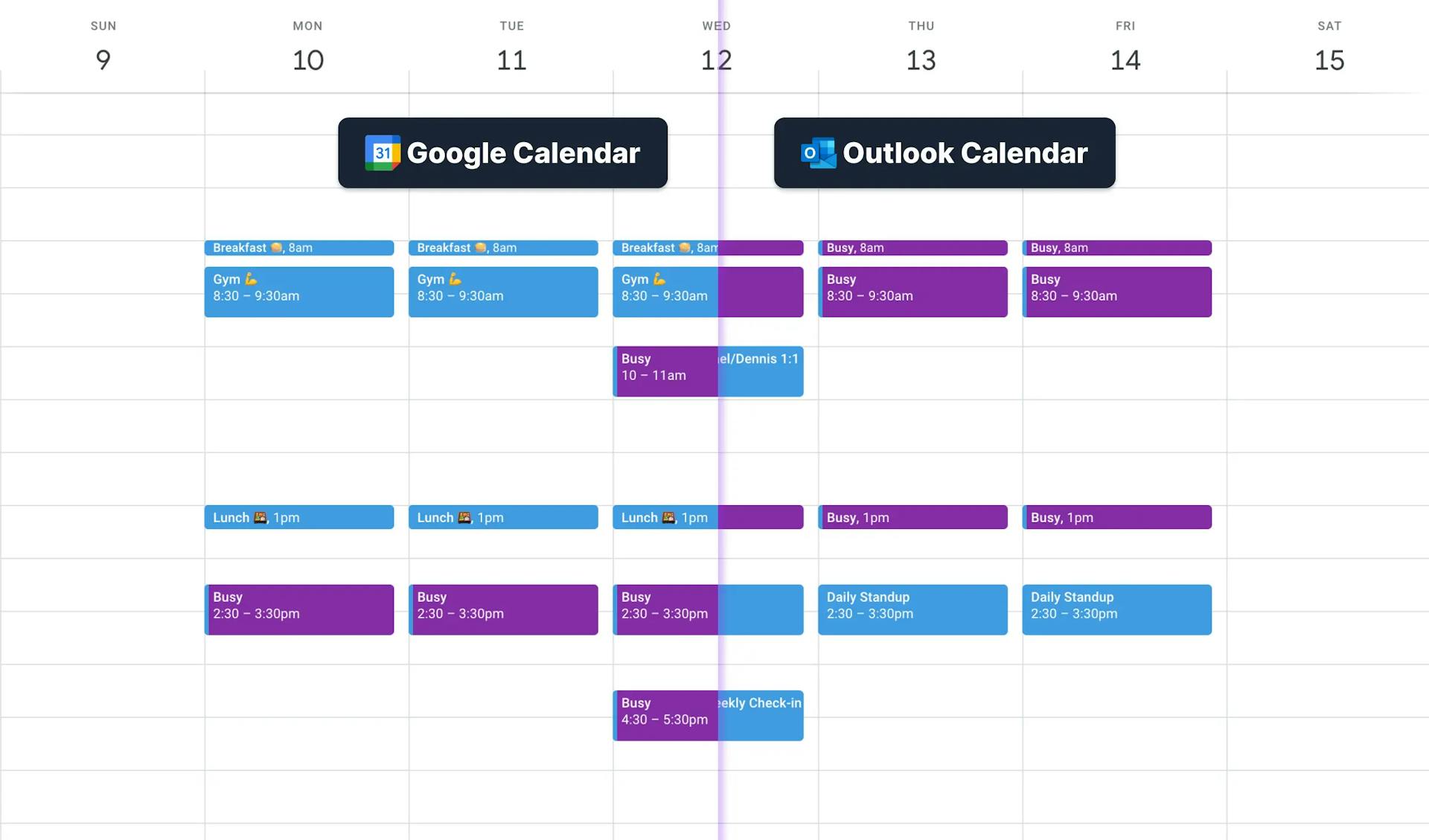
Aside from the Scheduling Link and the Calendar View feature, OneCal also offers a Calendar View feature, which can merge you calendars in real-time. This can be used if you manage multiple calendars and want to avoid scheduling conflicts when team members schedule meetings using Google Calendar or Outlook.
One-click scheduling
Everything you need in a scheduling app
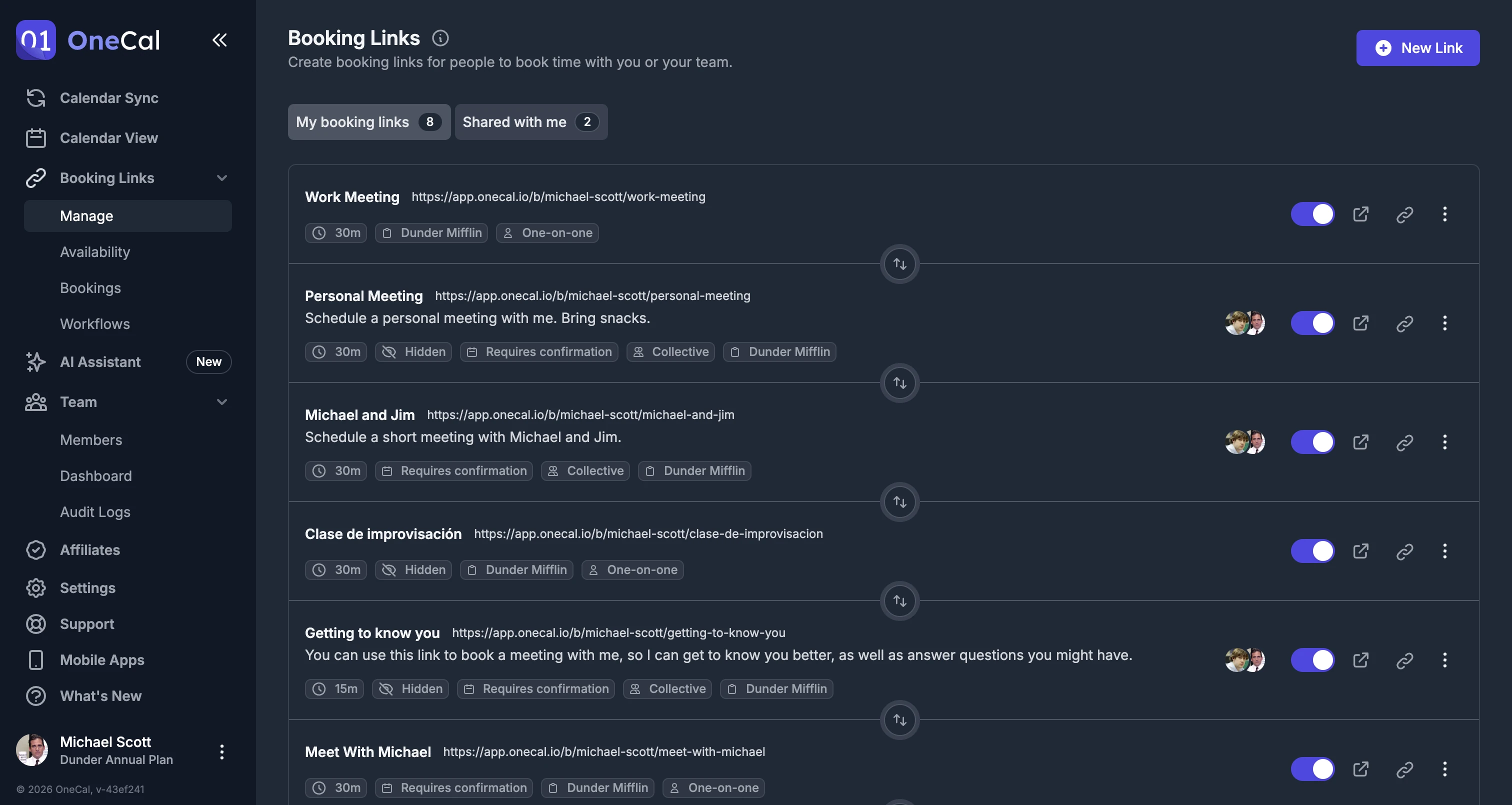
Multi-purposed scheduling links
Set availability, location, duration and more on a per-link basis. Send bookings to different calendars or set a default.
Collective scheduling links
Create collective Scheduling links, so others can schedule meetings with you and your team.
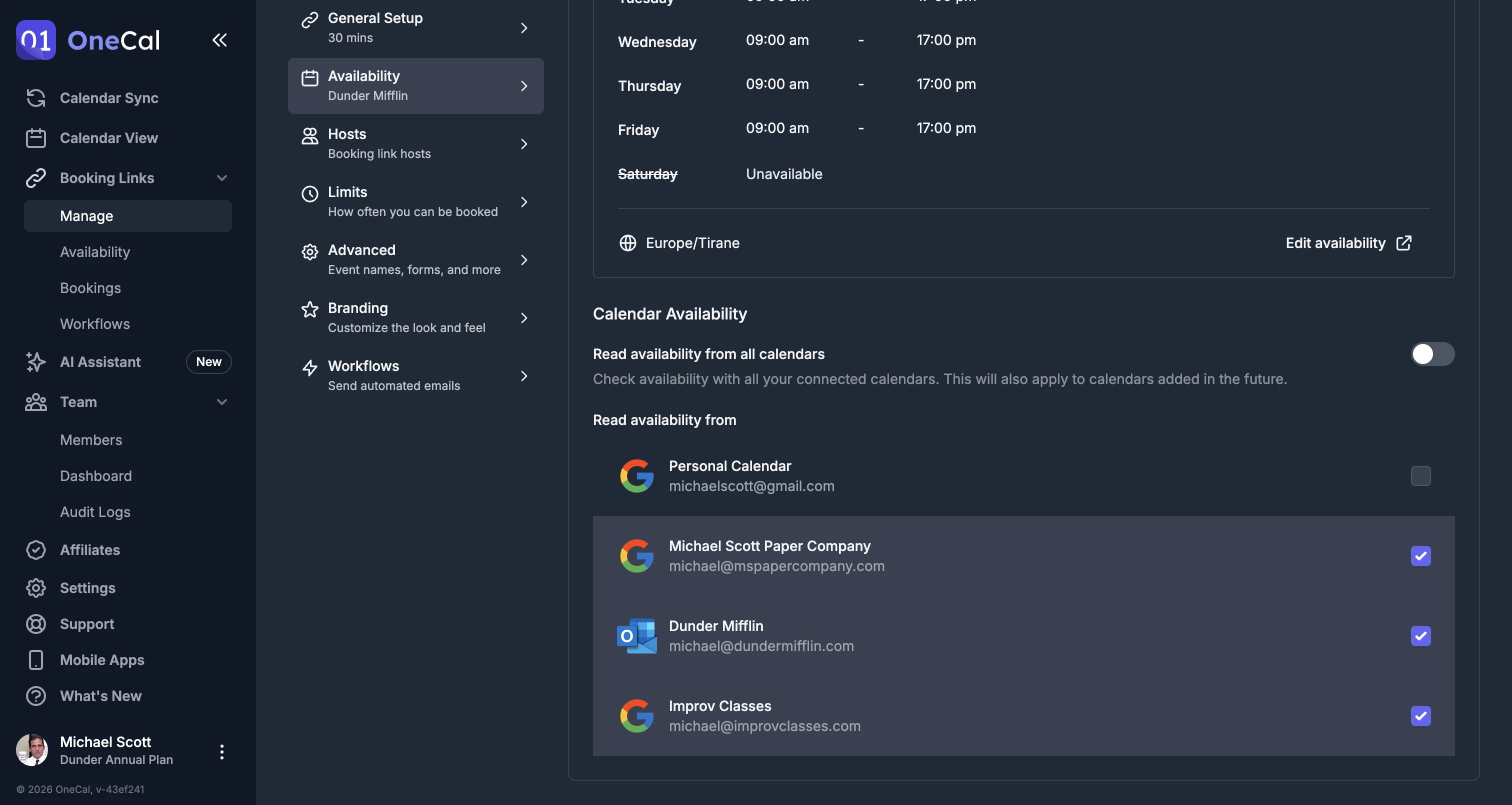
Read availability from all calendars
No need to worry if you're booking in another Calendar, we'll take care of everything.
Custom availability
You can set custom availability for each day of the week, or add date exceptions, when you're available for specific dates.
Configure buffer times, notice periods, etc
You can set buffer times for before and after an event is booked, setup custom notice periods or limit how far in the future can you be booked.
Booking approvals
You can setup for each booking request to require manual confirmation before a booked event is added to your calendar.
Redirect after booking
Redirect the scheduler to a custom URL after a booking is completed.
Custom confirmation message
Show a custom confirmation message after a booking is completed.
Allow booker to choose the duration
You can provide multiple durations for a booking, and let the booker choose.
Branded Scheduling Links
You can customize the look and feel of your scheduling links.
Translated Scheduling Links
You can choose the language of scheduling links individually or globaly.
Social Media links on the Booking Page
Let schedulers connect with you through the social media platforms you’re most active on by adding them to your Booking Page.
Hidden questions
Hide a question from schedulers and prefill its answer in the URL. This is useful for tracking or for data you already have.
Auto-invited guests
Add people who are invited to every booking made through a link.
Calendar invitation in confirmation emails
Confirmation emails include a calendar file, so schedulers can add the booking to any calendar app.
Short booking URLs
Share shorter onec.al links that open your full booking page.
Embed with a light or dark theme
Embed your booking links on your website and choose a light or dark theme to match it.
Troubleshoot availability
See why certain times are available or not on your booking link.
Export bookings
Export your bookings and leads to a CSV file.
Switch to OneCal in minutes
Provide yourself and your team with the simplest and most configurable Appointment Scheduling Software in the market.
Get 20% discount + assistance with onboarding and migration if needed.